Back up your whole PC. Then prove it comes back.
PROTECT · PREVENT · PREPARE
The backup that won't lie to you.
VaultGuard Backup images your entire Windows PC, checks the backup after every run, and once a week pulls real files back out of it to prove they restore. Built for the people who can't afford to find out, six months from now, that their backup was empty all along.
The Problem
Most backup tools tell you the job ran. They don't tell you whether what came out the other side is actually restorable.
VaultGuard Backup makes a full system image of your Windows PC, the whole machine, not just your files, and keeps a second copy somewhere else: another drive, a network share, or a folder that syncs to a cloud account you already pay for. Your drive, your account, no second subscription, and nobody else holding your data.
Then it checks that backup. And every week it takes a sample of real files, pulls them back out of the backup, and compares them to the originals. If they don't come back right, you find out that week, not the day the computer dies.
That last part is the whole point. Drives fail silently. Files get corrupted in transit. Ransomware encrypts your backup folder right alongside your real data. Software updates break compatibility. By the time you find out, the data you needed is gone.
VaultGuard Backup was built around one stubborn idea: a backup you've never restored from isn't a backup. It's a hope. If you've never checked whether your own backup actually works, that's worth two minutes before you need it.
And the image itself isn't mine. It's Windows' own system image, the same engine Microsoft has shipped since Windows Vista. No proprietary format, nothing to be locked into. Restoring your PC works with Windows' built-in recovery, with or without me.
Not sure what a backup should do? This guide covers it before you buy anything.
Backup was the first step. This release proves you can get it back.
Automatic restore testing. Every week, real files are pulled back out of the backup and checked against the originals. The restored copies are left on your drive so you can open them yourself.
A Safety Score. One number, 0 to 100, for how much of your recovery has actually been proven, with the reason for every point you're missing and the next step to earn it.
A recovery drive builder. A USB stick that can start the computer when Windows can't, made from inside the app.
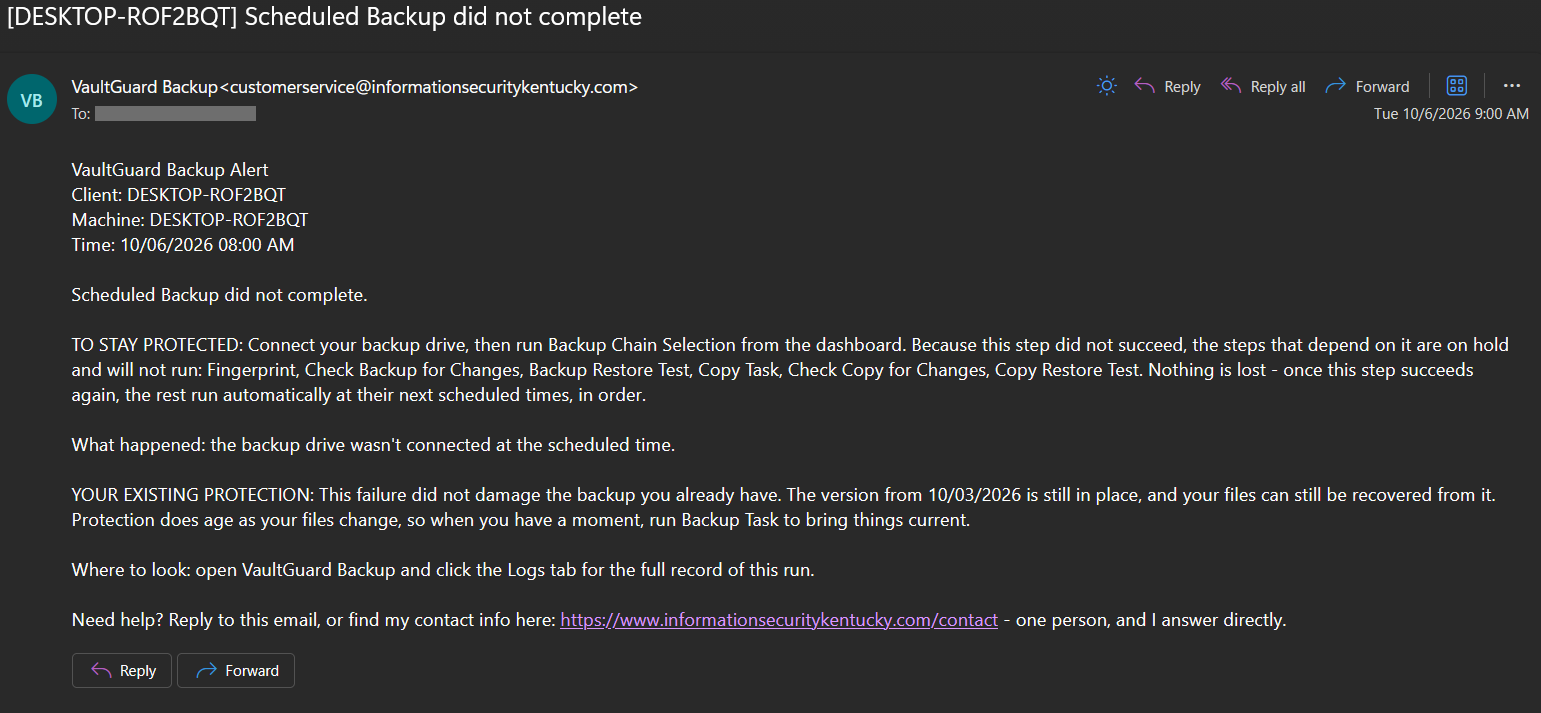
Alerts that tell you what happened. When a scheduled task can't finish, the email says what went wrong, what still depends on it, what it did not touch, and the one thing to do next, in plain words and in that order.
One screen for every computer you look after, for technicians and small shops.
I run every one of these on my own machines.
Not sure where you stand right now? Take the two-minute backup safety test.
What Makes VaultGuard Backup Different
It tests its own restores. Before each backup, VaultGuard picks about fifty of your real files and records exactly what they look like. After the backup, it pulls those same files back out of the backup and compares them. Every week, on a schedule, without anyone remembering to do it. You get a plain-language report, and the restored files stay on your drive so you can open one and see for yourself.
It gives you one honest number. The Safety Score is 0 to 100 and it is built from proof, not activity. A backup that ran but was never restore-tested can't score well, because nobody knows yet whether it works. Every point decays as its proof gets older, so the number tells you the truth today, not the truth from a month ago. And it always names the next thing to do.
It knows when the backup has changed. The moment a backup is made, VaultGuard records a fingerprint of it. Every later check compares the backup to that fingerprint. If anything has been altered, corrupted, or quietly encrypted since, the check fails, a restore from it stops before anything goes back on your machine, and you're told exactly what changed. The same goes for your second copy.
It doesn't fail quietly. Every scheduled task has its own card on the dashboard. When something fails, the email names the task and the cause in plain words, and the steps that depend on it wait instead of pretending they ran.
It gets you back in when Windows won't start. The recovery drive builder turns a USB stick into a drive that boots the computer into Microsoft's own System Image Recovery, built from the Windows already on your machine. It works whether or not VaultGuard is still installed.
It checks before it backs up. Before each backup runs, VaultGuard checks that Windows Defender is current, scans for active threats, looks at drive health, and warns you about BitLocker status. A clean backup of an infected drive is worse than no backup at all.
Locked-down runtime. Configuration lives in an access-controlled folder under C:\ProgramData and is checked by hash on every launch. An optional administrator passphrase follows NIST SP 800-63B guidelines when set. You won't see these day to day. They're the reason VaultGuard stays trustworthy when nothing's been touched in eighteen months.
Who It's For
Individuals with a laptop full of work that can't be replaced — photographers, writers, freelancers, consultants, anyone whose business is mostly the contents of a single computer.
Small businesses running on Windows that need real backup without paying for an enterprise product they'll never use 90% of.
Technicians and small shops looking after several computers, who want one screen that shows which machine needs attention today.
My own services clients in central Kentucky, who needed a tool that actually does what it says.
VaultGuard Backup runs on Windows 10 and 11. It backs up to external drives, internal drives, and network shares, and keeps a second copy on another drive or in a cloud-synced folder. It's a single signed .exe. No installer headaches, no agent services chewing up resources.
Windows 10 still runs it, but Microsoft stopped sending Windows 10 security updates in October 2025. A backup can't protect a computer the rest of the world has stopped patching, so if you're still on 10, upgrading is the first security step and the backup is the second.
Pricing
Individual: $14.99/month or $149.99/year
One Windows computer. Full features. Email support.
Technician: $49.99/month or $499.99/year
One flat price covers up to 5 computers, not per-machine. Full features on every machine, one bill instead of ten. Adds the Technician tab: every protected computer on one screen, worst first, with each machine's Safety Score. For the small office or technician looking after several PCs. Email support.
Both plans include every feature. No "premium tier" gating the security features that actually keep your data safe — that would defeat the point. Cancel anytime.
How It Actually Works
A 14-day trial runs the full software with no feature gating. Payment is processed through Stripe if you decide to purchase the subscription.
Each subscription is bound to your computer's hardware, and license validation happens automatically in the background. If your internet goes down, VaultGuard keeps running; there's a seven-day grace period before it needs to check in again. If your subscription lapses, nothing is deleted and your backups stay restorable. You get a few days to renew, and renewing puts everything back the way it was with one click.
You'll never see a feature locked behind a higher tier. You'll never get a renewal email from a department that doesn't answer questions. When something needs your attention, the email comes from me.
Built And Supported By One Person Who Answers His Own Email
VaultGuard Backup isn't a venture-funded startup that'll get bought out in two years and shut down. It's a tool built by David Martin of Information Security Kentucky, who needed it for his own clients and decided to make it available to everyone else.
When you email customer service, you're emailing me.
What's In The “Box”
A condensed feature inventory. Full list on the Features page.
Backup proof: Weekly automatic restore test of real files · Safety Score · Fingerprint of every backup and every copy · Check for Changes on the backup and on the copy · A failed check stops the restore · Plain-language HTML report after every restore test, kept as a record
Threat awareness: Pre-backup Defender scan · Defender definition age check · Fingerprint check catches a backup changed after it was made · BitLocker status warnings
Drive and media health: SMART monitoring · chkdsk integration · Drive age tracking · Available space monitoring on the backup drive and the copy drive
Second copy: Full system image using Windows' own backup engine. Versioned copies to a second drive, a network share, or a sync folder, never overwritten. The copy gets its own fingerprint check and its own restore test. Compatible with any cloud-to-cloud mirror service for a third copy
Restore options: Restore a single file from the backup or from your copy · Browse the backup like a folder · Full system restore through Windows Recovery · Recovery drive builder · Fingerprint check before any restore
If the day comes, here's how to restore your whole PC from a backup.
Security hardening: Optional NIST SP 800-63B compliant passphrase · Optional two-factor sign-in · Access-controlled runtime data · Config integrity verification · Session timeout · Code-signed binaries
Operations: Nine scheduled tasks, each with its own dashboard card · Plain-language failure emails that name the task and the cause · Any step can be run by hand · Backups run on battery and the laptop wakes for its schedule · Task Scheduler integration · Technician tab on the Technician edition
What It Runs On
Windows 11 recommended. Windows 10 (version 1909 or later) still supported, but no longer receives security updates from Microsoft.
64-bit only
100 MB available disk space
Backup target: external USB drive, internal drive, or network share
Optional: a second drive, or a desktop sync app from any cloud storage provider, for the second copy
Optional: a USB stick, 4 GB or larger, for the recovery drive (6 GB and up leaves room for a data section)
Tip: VaultGuard's integrity check is limited by drive read speed, not CPU. A USB 3.0 external HDD (~110 MB/s) verifies 90 GB
in roughly 13 minutes. A USB 3.0 SSD or NVMe enclosure (400–1000 MB/s) brings that down to 1–3 minutes — a meaningful
gain if you're running daily integrity checks.
Try VaultGuard Backup free for 14 days.
No credit card required to start. Full feature access. If it's not the right tool, walk away — no awkward sales call, no "are you sure" survey.